
01 The card
They scan the card on the table.
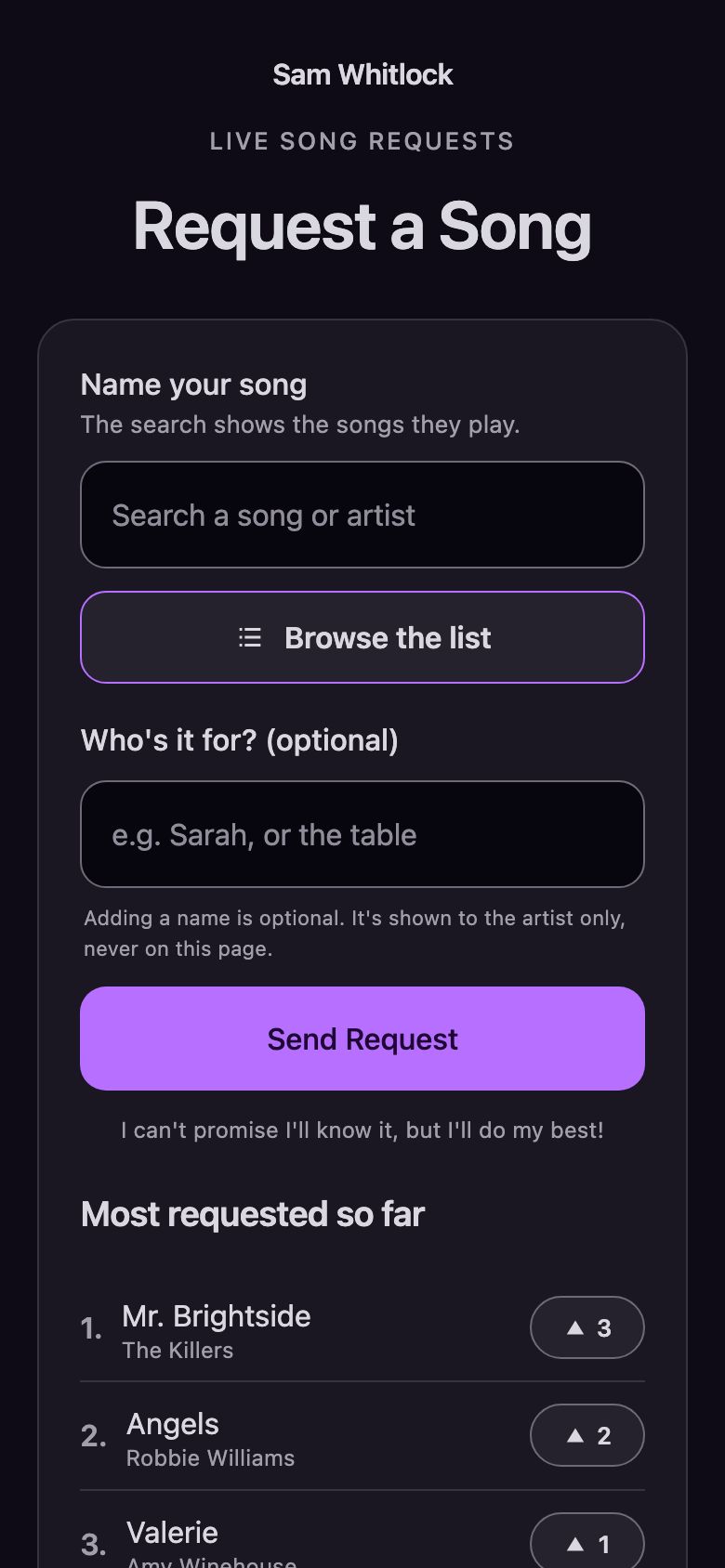
The camera opens your page. Nothing to install, and nothing to sign up for.
Requests, without the shouting.
Your audience scans the code on the table and picks a song.
Free to use.
Pubs, bars, restaurants, Sunday lunches, weddings and functions. Solo, duo or band.
See it workingWatch Danny show it in 90 seconds. Danny, from the AnyRequests team, sets up a page and goes live.
How it works
01 The card
The camera opens your page. Nothing to install, and nothing to sign up for.
02 The song
A few letters, a tap, and who it's for if they like. Sent.
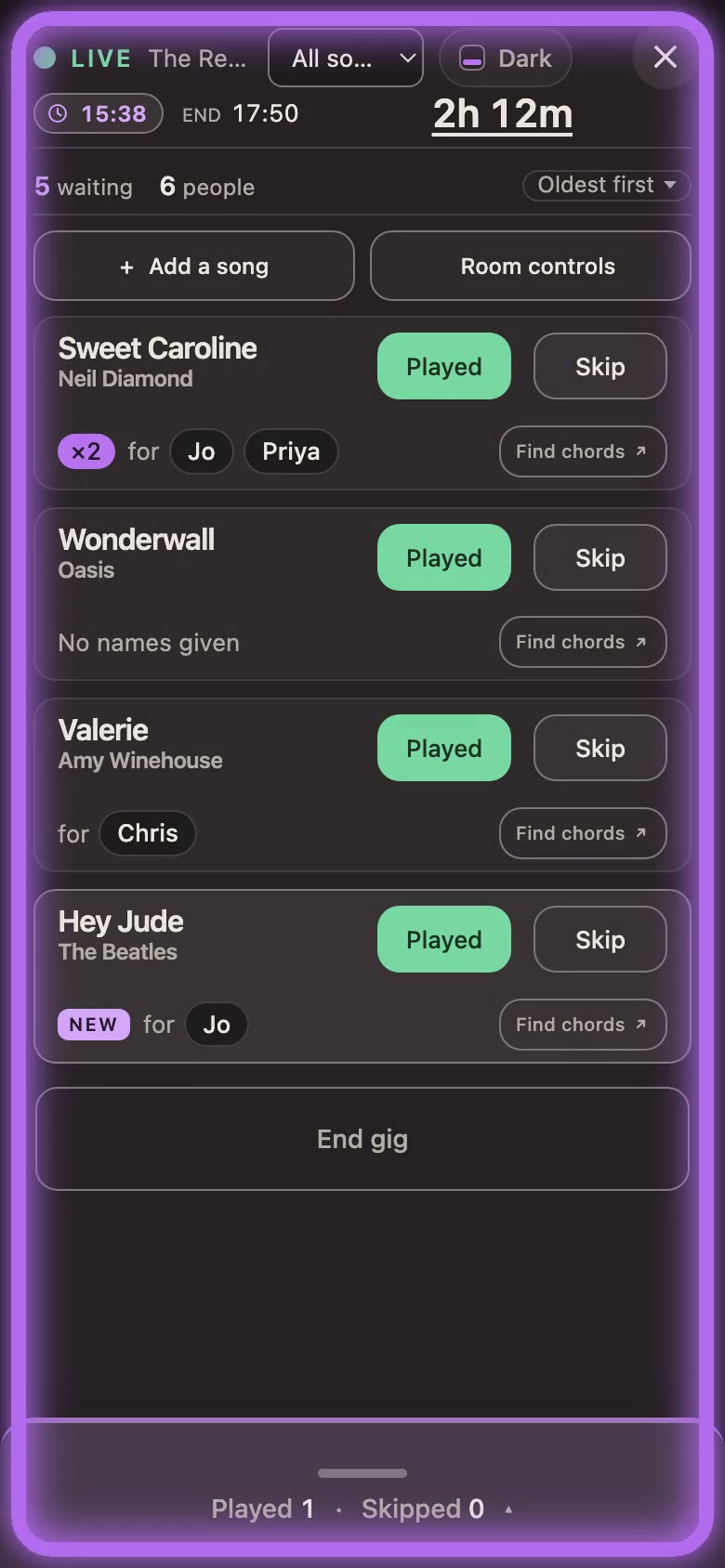
03 Your screen
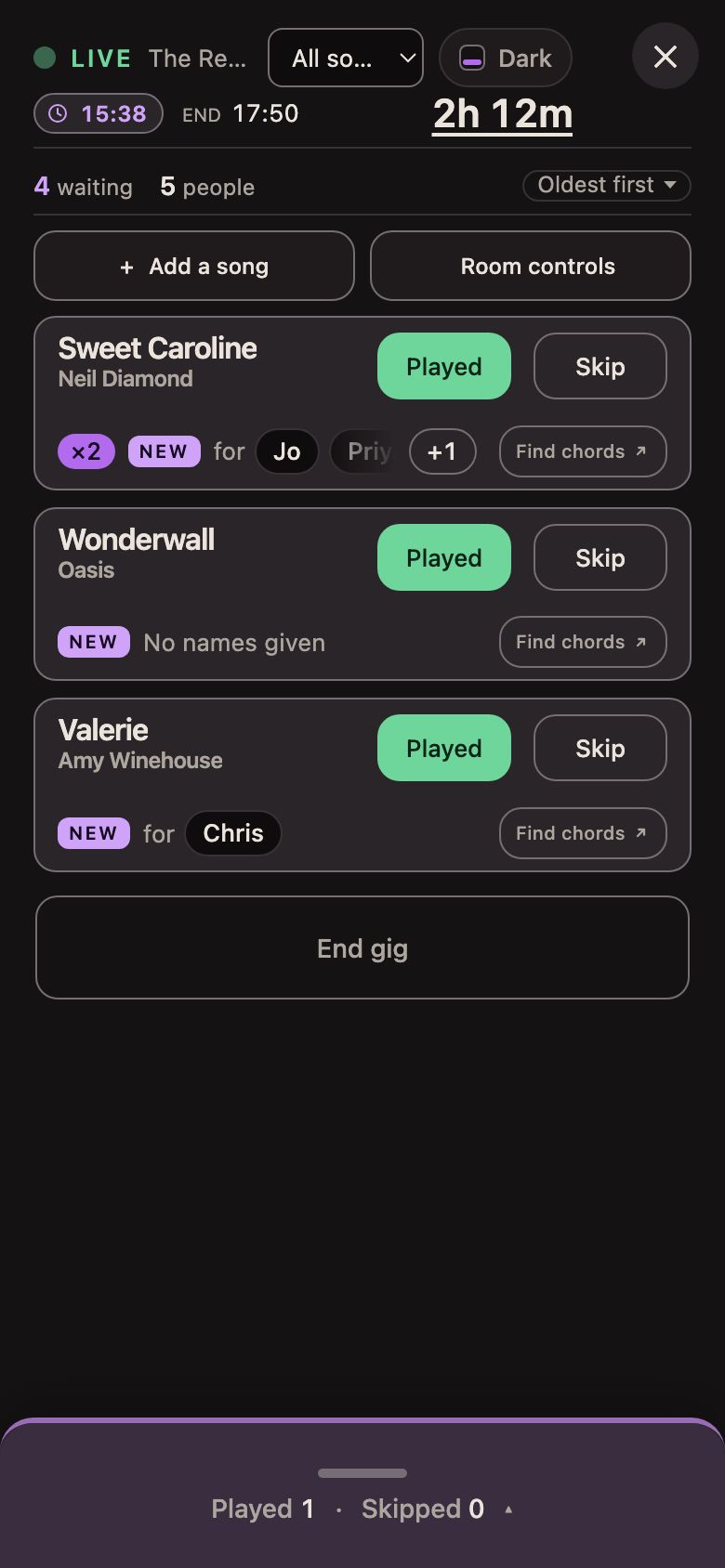
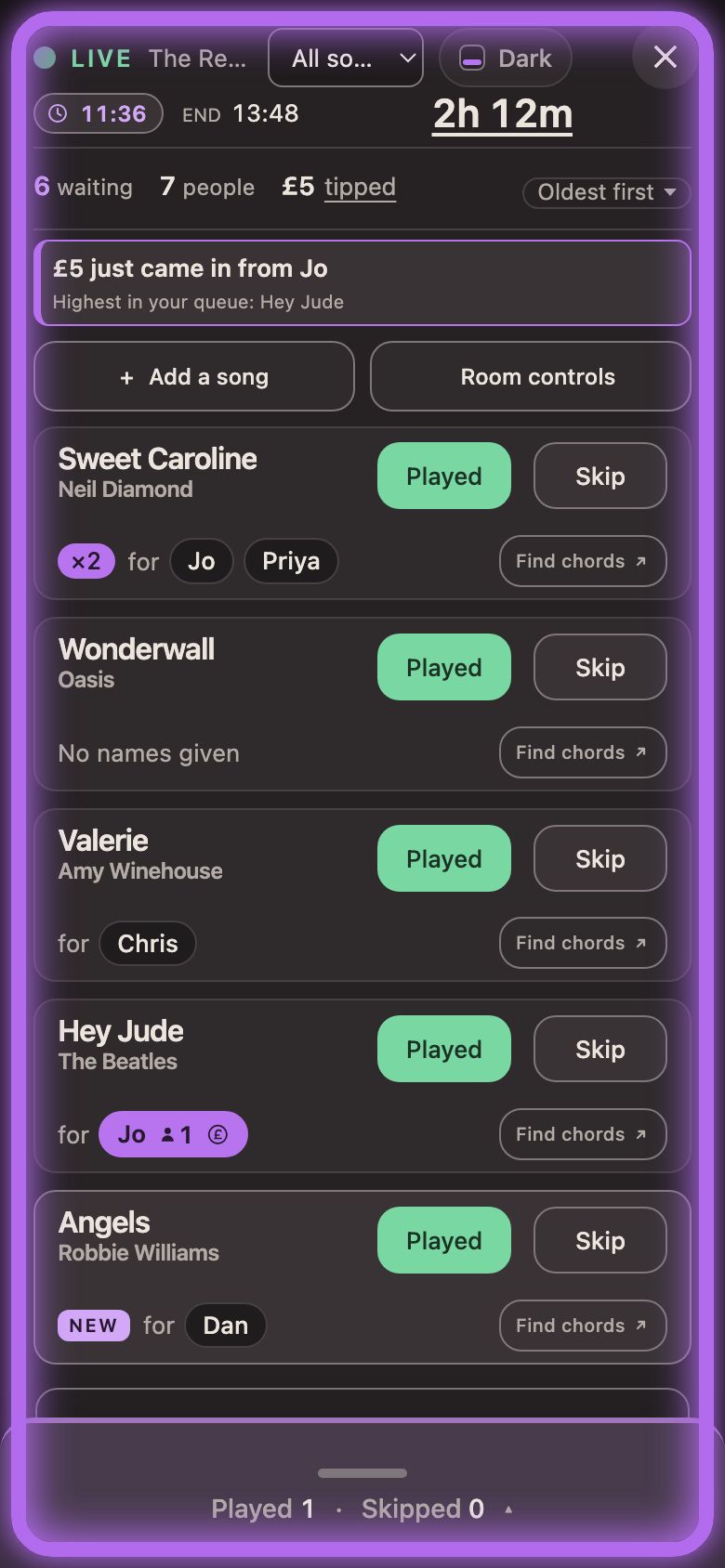
Big, clear titles, made to read at arm's length between songs. Who it's for, and how many asked.
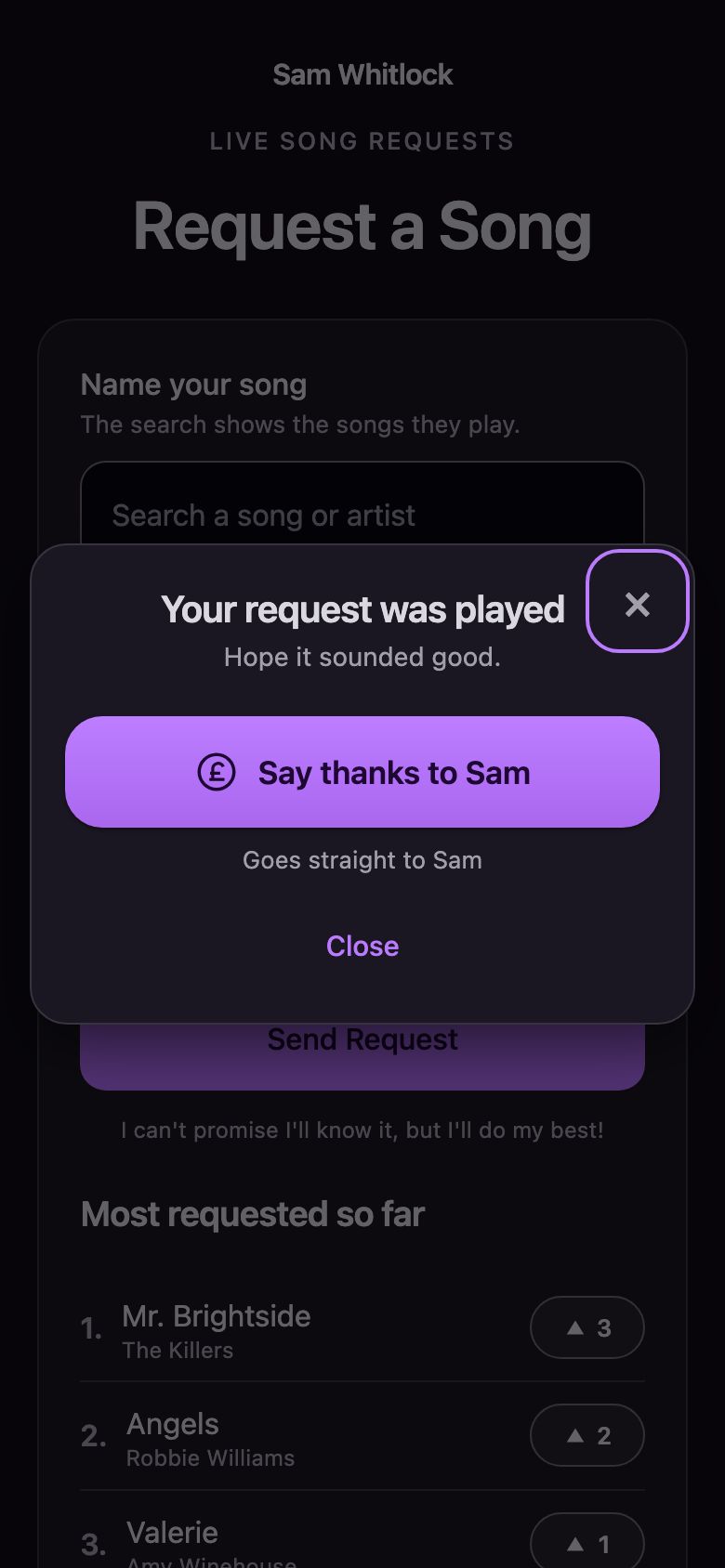
04 Played
Tap Played. If you take tips and they're still on the page, their phone tells them their song was played, with a chance to say thanks.
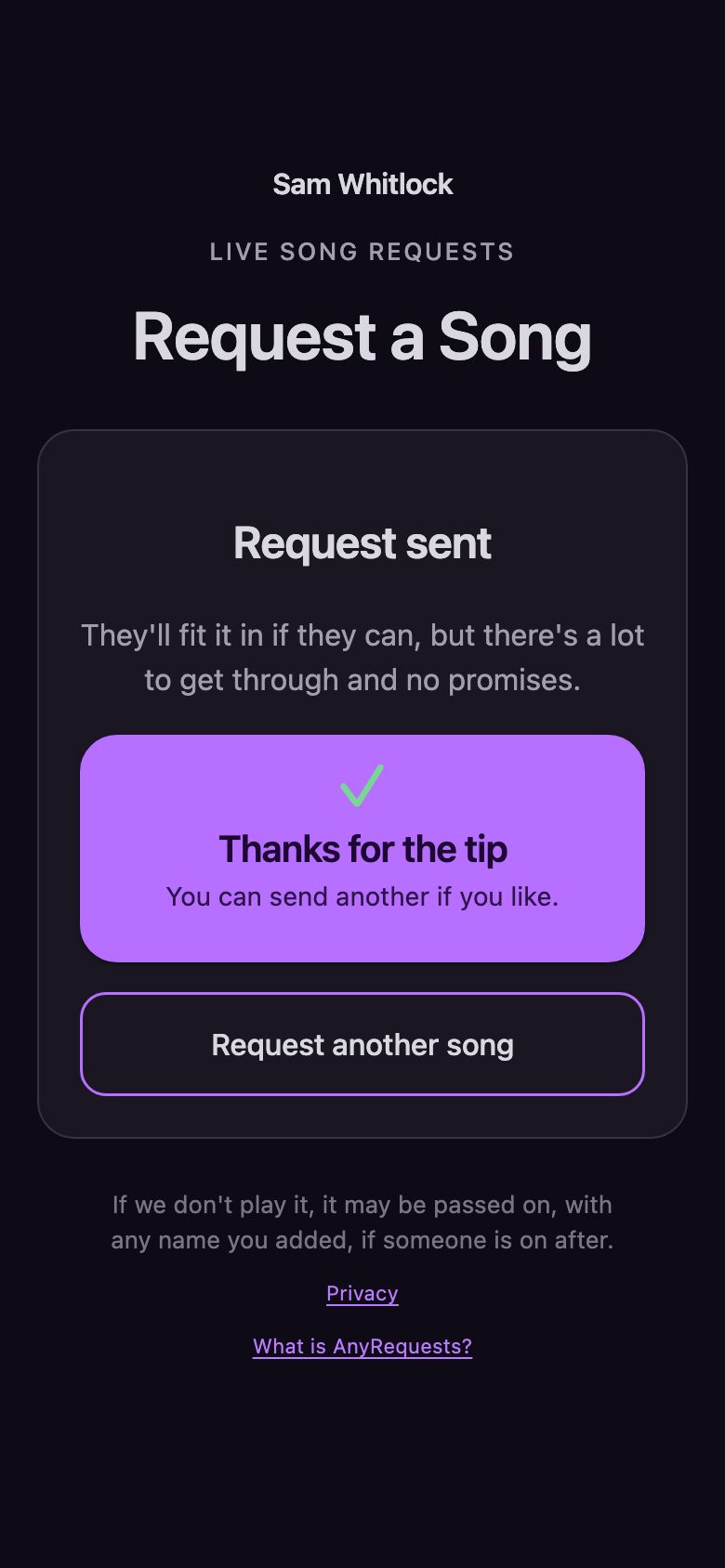
05 Tips
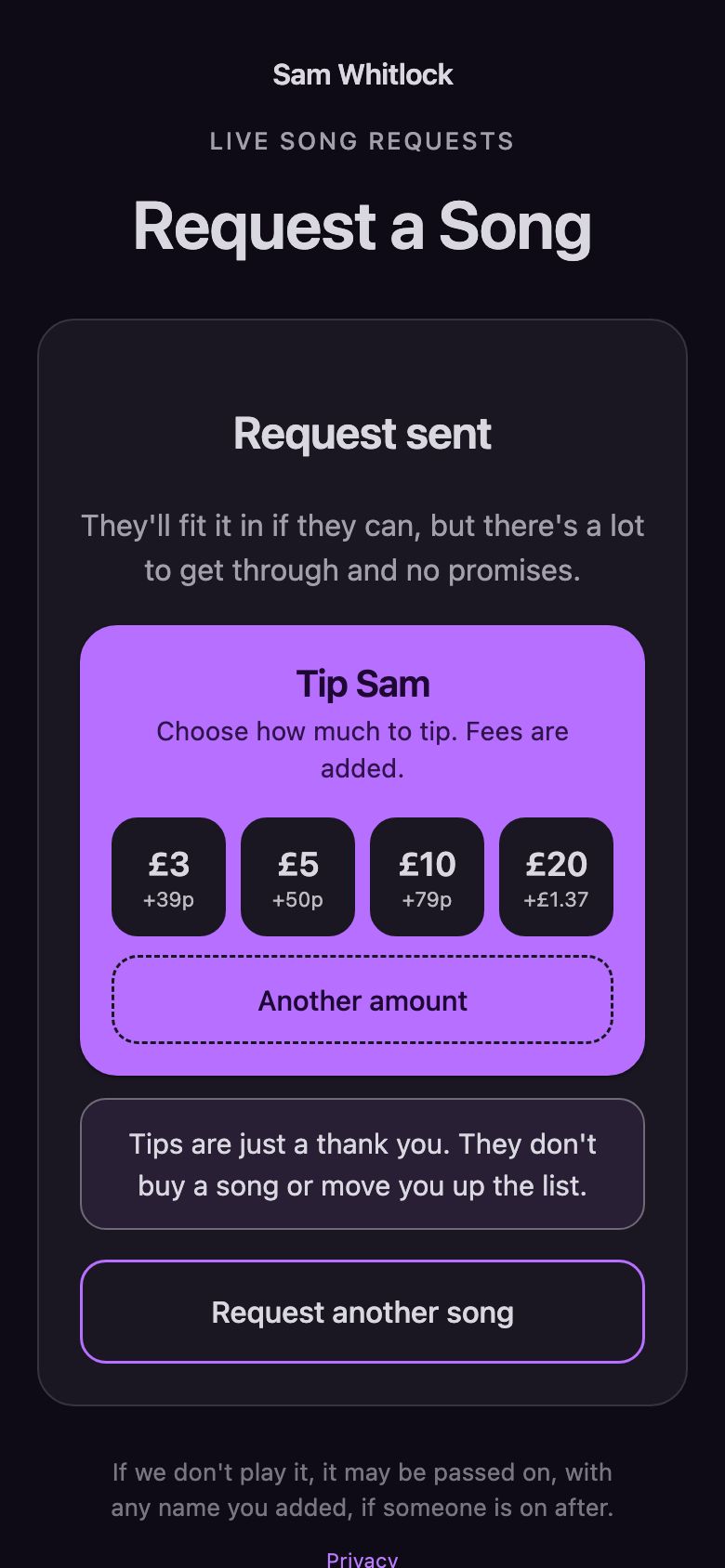
Pick an amount, pay by Apple Pay, Google Pay or card, and it's done.
06 Tips
A banner says it's in, their name lights up purple with a coin, and the gig's tips total sits at the top.
07 The rule
It doesn't move a request up the list either, and the audience is told so. You're never obliged to play anything.
08 Every Friday
Stripe is the payment company used by millions of businesses. Tips go into your own Stripe account, and Stripe pays them into your bank every Friday.
Each payment is held for seven days first, so allow one to two weeks.
See it working
Pick a song on the phone, or scan the code with your own. It lands on the screen beside it.Pick a song and send it. Then see what the musician sees.
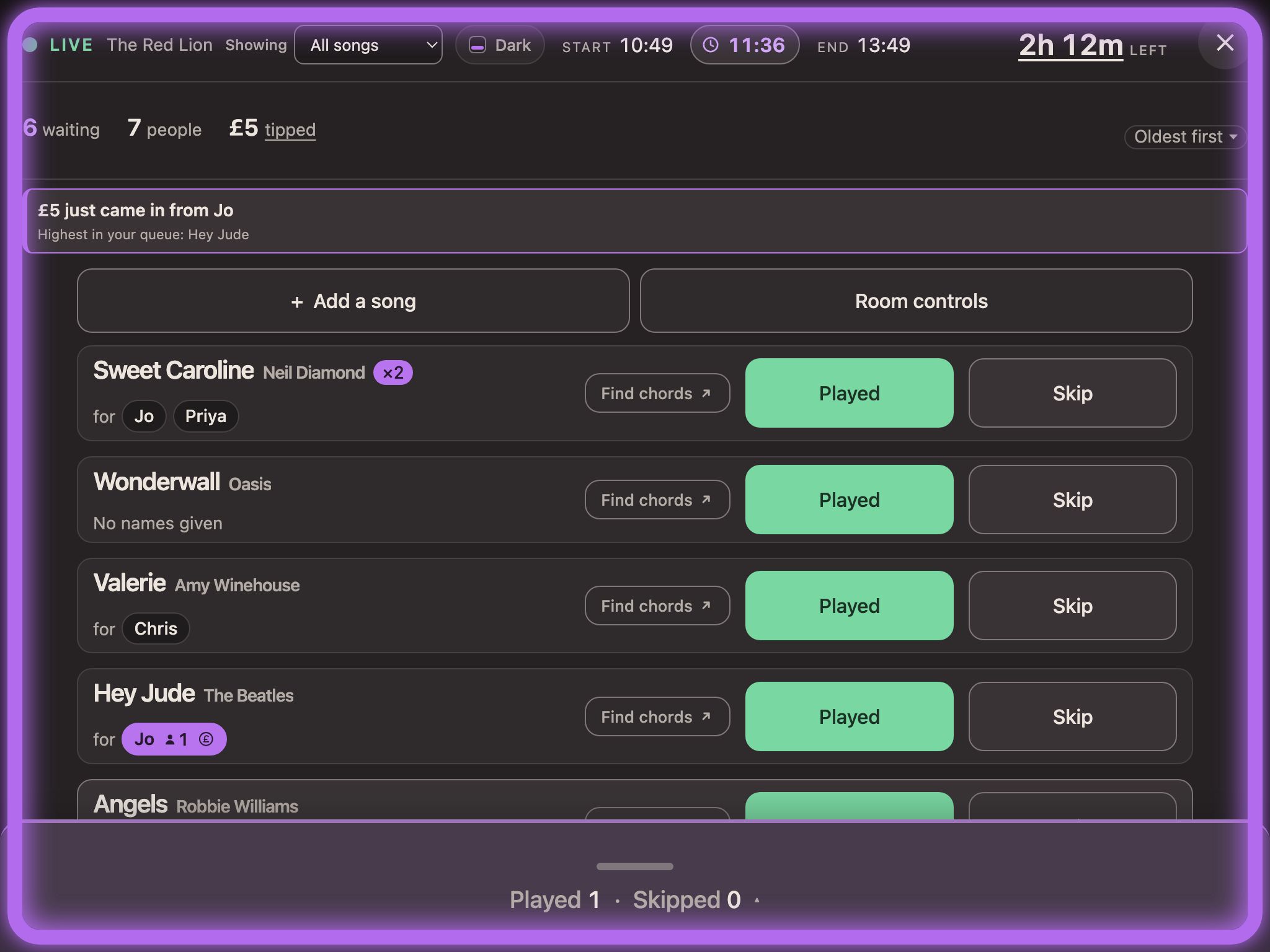
An invented act in an invented pub.
Set up your page, freeReady out of the box
No songs needed. With none added, your audience can ask for anything.
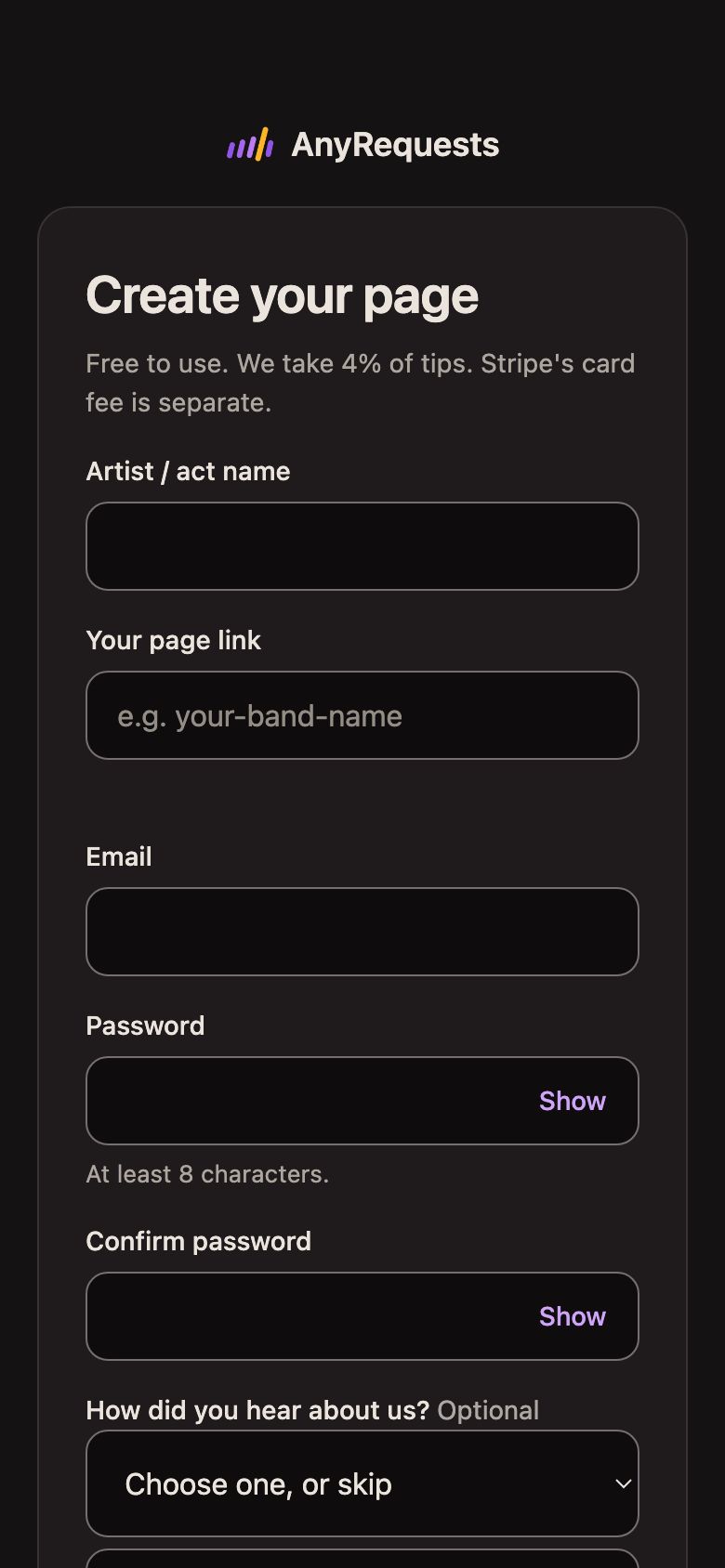
1
Your act's name and your details. Then connect Stripe, which pays your tips into your bank. It's free to set up and takes about five minutes.

2
Ready-made designs: table cards, posters and business-card size. Print at home or at a print shop. Your own page is anyrequests.app/yourname.
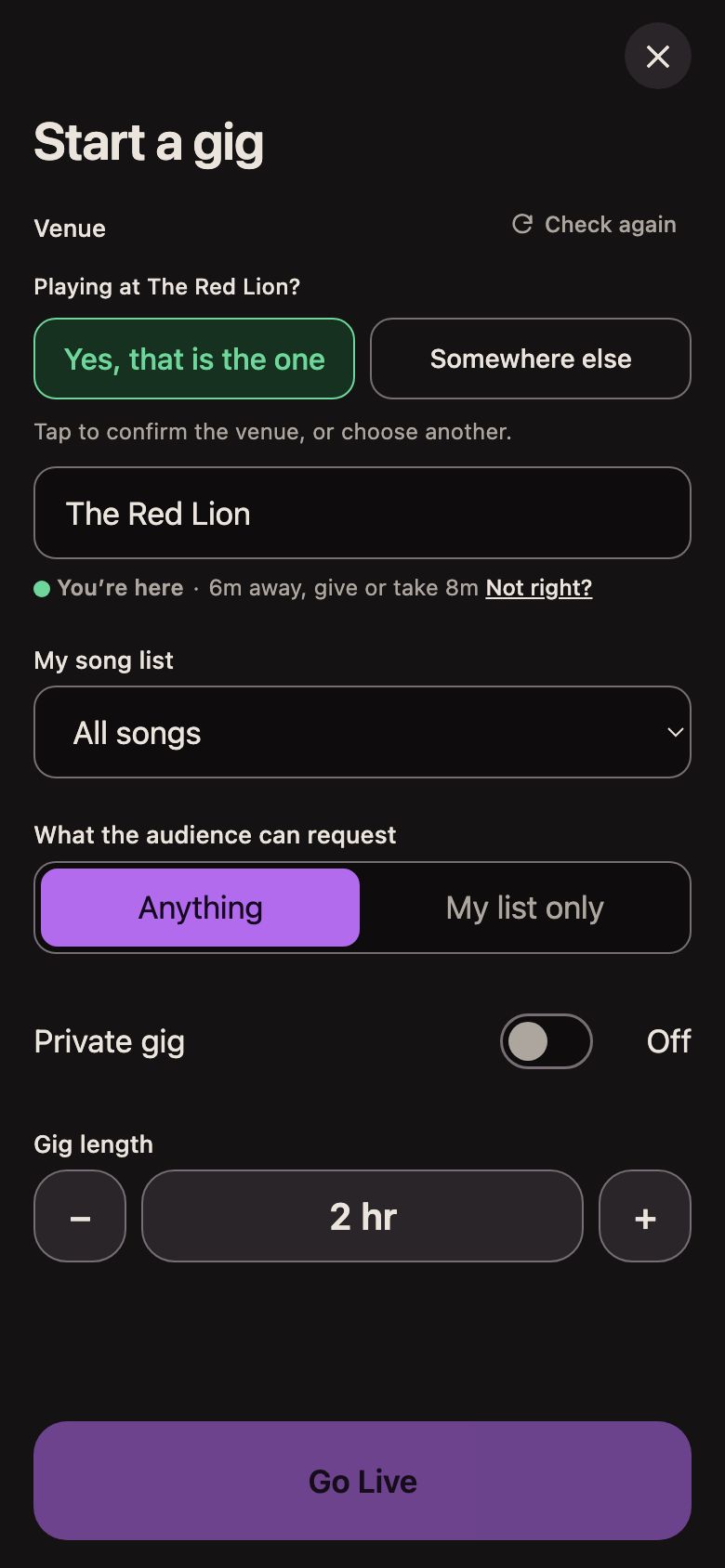
3
It suggests the venue you're at. Tap to confirm, and you're live.
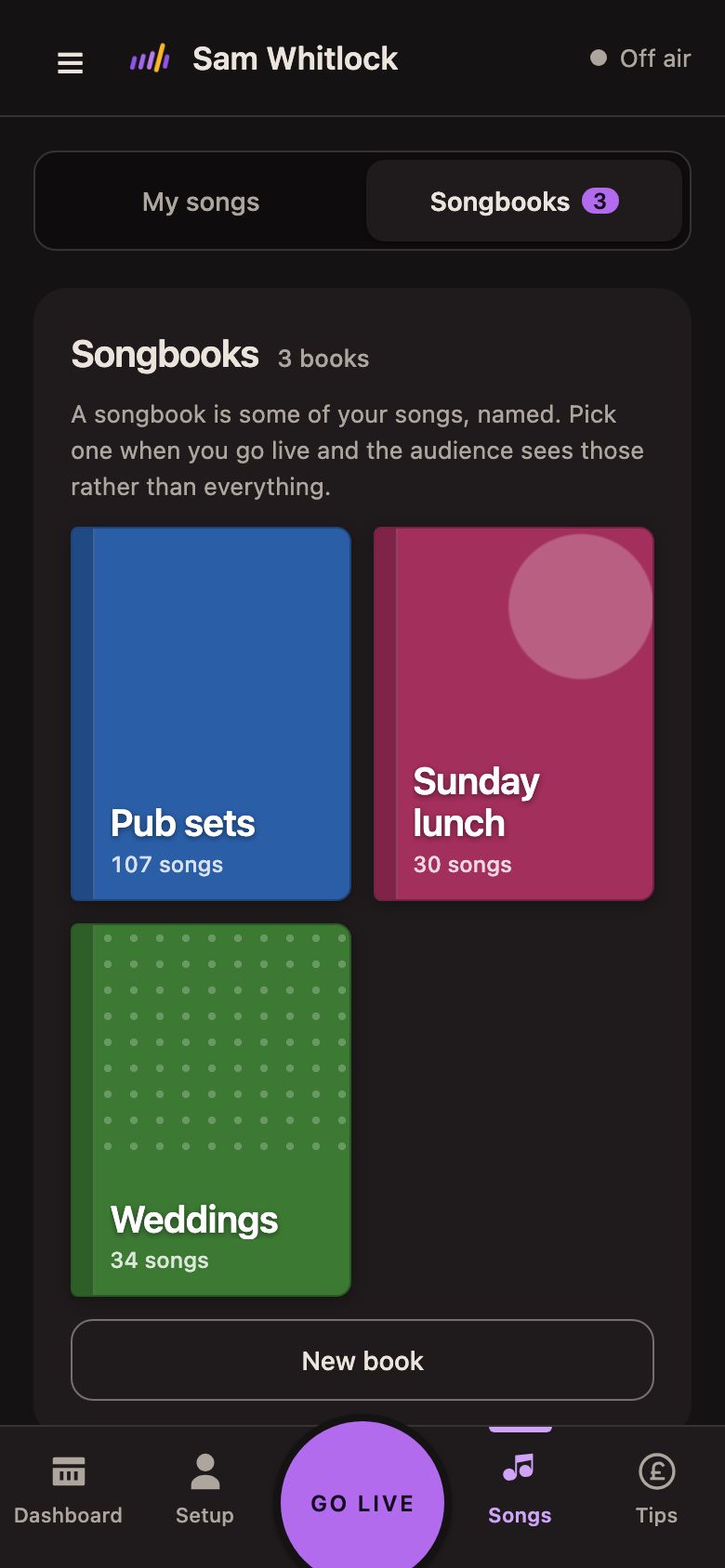
Your songs
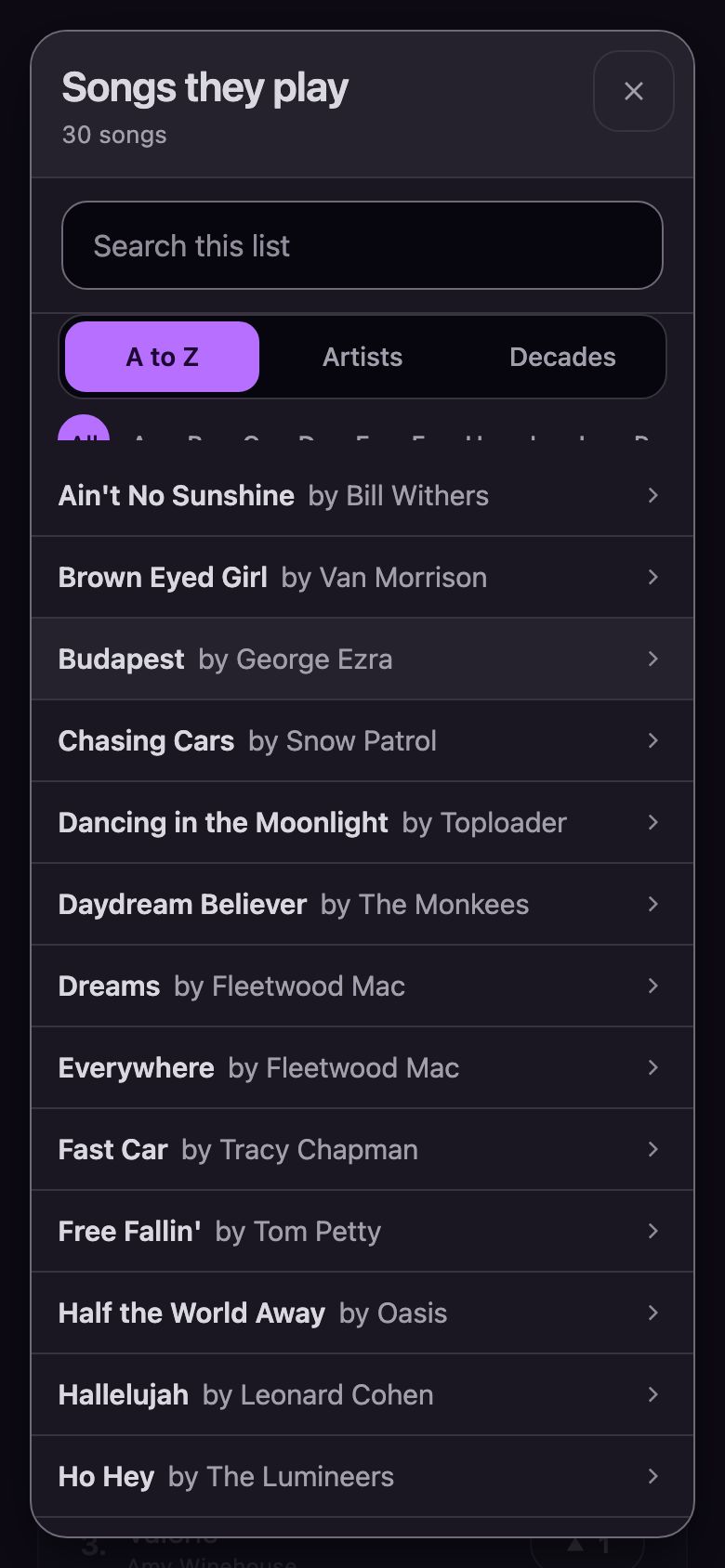
30 songs? Plenty.
Put the songs you know inside out in a songbook and choose My list only. Your audience picks from those 30, and the room still joins in.
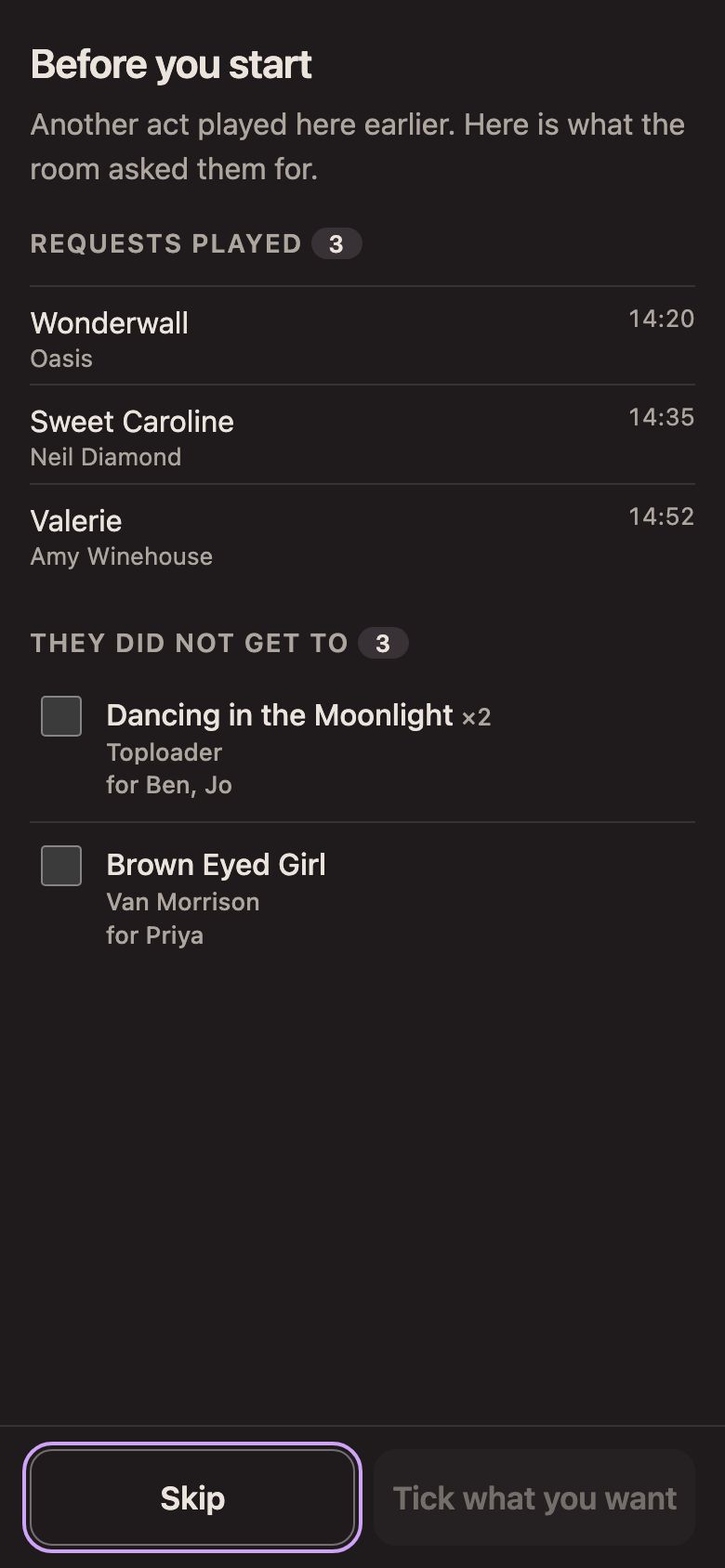
Handover
Only the act that goes live there at a public gig sees it, and nothing about money is passed on. Private gigs take no part, and you can switch it off in Settings.
It learns
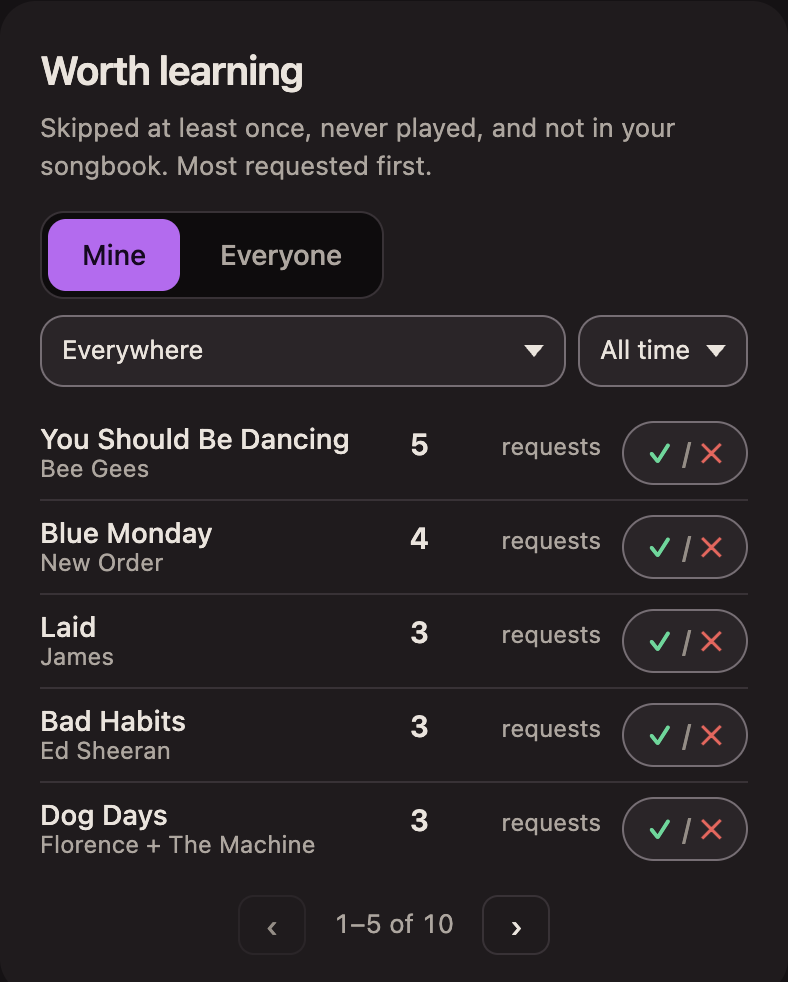
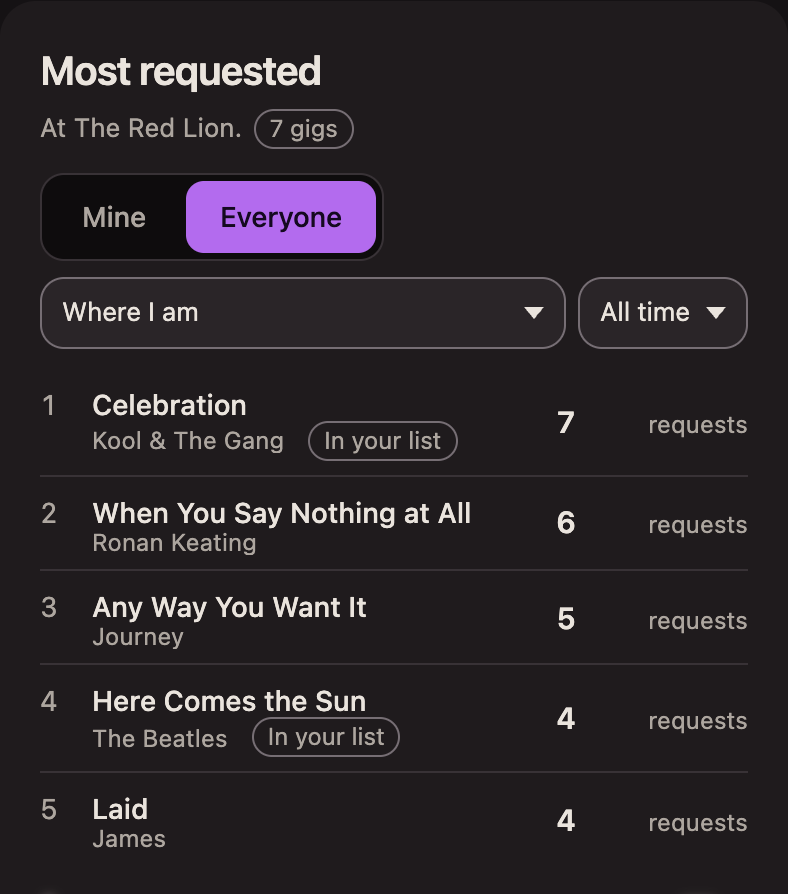
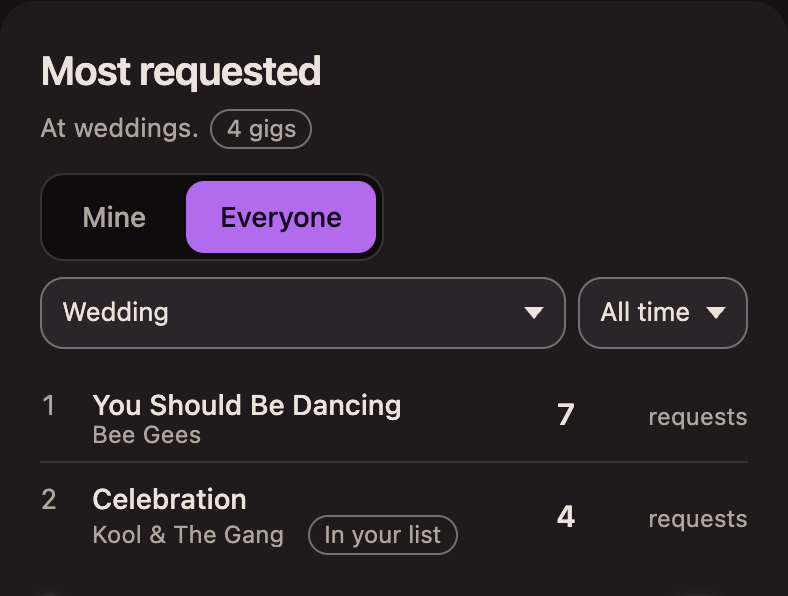
Your dashboard turns every request into lists you can act on: what to learn next, and what a room or a kind of gig asks for.
The four cards are the dashboard, from a test account with example numbers.
Songs you don't play yet, most asked first.
Tap or hover over a control on a card to see what it does.
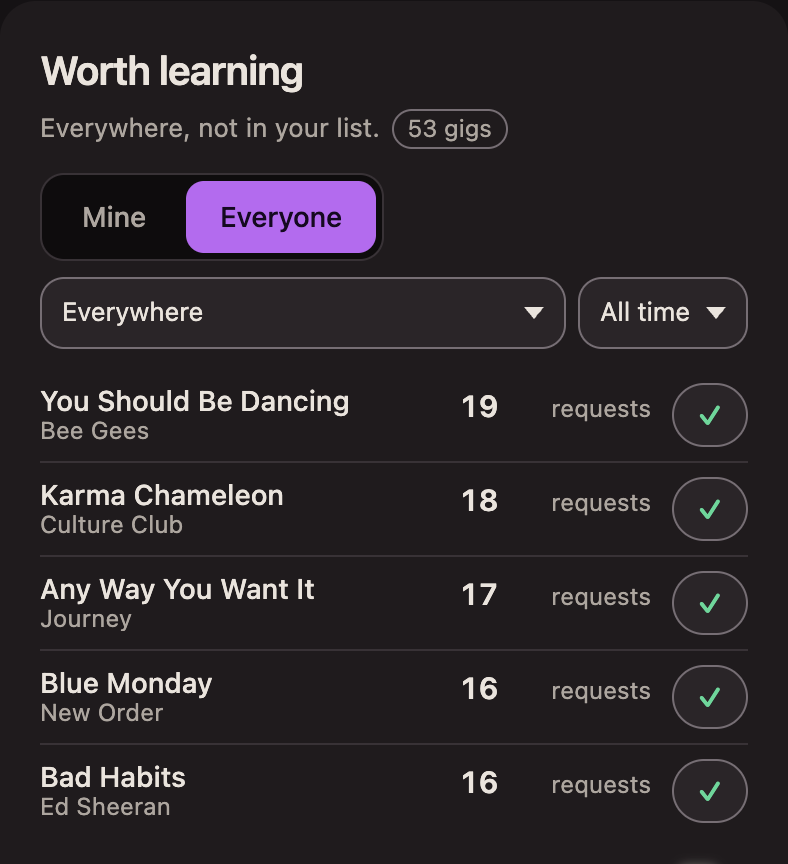
What a room, or a kind of gig, asks for.
Why it's different
Stripe's own card fee, about 1.5% plus 20p on a UK card, is separate. See what it costs.
What it costs
Stripe takes its own card fee as well. No subscription, and nothing to pay to sign up.
You choose who covers the fees: the audience covers them, you cover them, or the audience decides on the tip screen. Until you choose, the audience covers them.
A £5 tipDefault
Both fees are paid by the audience. This is the default.
Stripe charges its own card fee, about 1.5% plus 20p on a UK card. The audience pays it when they pay the fees, and you pay it when you do. A card from outside the UK costs a few pence more, and you pay the difference.
Pro
Each phone gets a few requests free at each gig, then can buy more. Buying more never means a song gets played: you still choose what you play, and the audience is told so.
Turn tips off when a gig shouldn't have them.
What audiences ask for at any venue or town, not only the one you're in.
Questions
No. Go live with none and your audience can ask for anything. Add your songs when you're ready, and choose My list only if you want them to pick from those.
No. You can go live without one, and requests work straight away. Tips appear on your page once you've connected Stripe, which you do inside AnyRequests. It's free to set up and takes about five minutes. Stripe asks for the details a payment company has to check, including the bank account your tips are paid into.
No. A tip is a thank you. It never buys a song or moves it up the queue, and the tip screen tells the audience exactly that.
Skip it: one tap, and it's off your screen. Or choose My list only, and your audience can only pick from your songs.
Each phone can only send a few requests every five minutes, and you choose how many. Requests with common swear words stay off the most requested list your audience sees. You can block a phone for the rest of the gig, pause requests whenever you like, and report a request to us.
Stripe pays them into your bank every Friday. Each payment is held for seven days first, so a tip usually reaches your bank one to two weeks after the gig. Your first payout can take a little longer while Stripe checks your details.
If another act goes live at the same venue within three hours of you finishing, they see the requests you played and the ones you didn't get to, with the names the audience typed on the ones you didn't get to. Nothing joins their queue unless they tick it. Nothing about money passes, your name isn't shown, and private gigs never pass anything on or receive anything. It works both ways, and you can switch it off in Settings.
Song titles and how often they're asked for, so every act can see what rooms ask for. Never a name, and never money. Only acts who share are counted, and you can switch sharing off in Settings. The handover above is the one time the names your audience typed are passed on, and only to the next act at the same venue.
There's nothing for the venue to install or set up. A card on the tables or a poster by the bar, and requests come to you instead of being shouted across the room.
Requests need a connection: the audience's phone sends them over mobile data or wifi, and they reach yours the same way. If your own signal drops, nothing is lost. Requests that came in show up as soon as you're back online.
The audience doesn't sign up, so we never ask who they are, or for an email. A name typed into "Who's it for?" is seen by you, and by the next act at that venue if there's a handover. It's deleted three hours after the gig ends (after the next act's gig, if it was passed on), unless the request was reported.
Because you're the one reading the room. If tips bought a place in the queue, you'd end up owing songs that don't suit the venue, or a pile of paid-for requests with no time left in your set. Here a tip is a thank you, never a ticket. You decide what to play and when, so the set stays at its best, and nobody can pay their way past the table that asked first.
Some request and tip apps take 10% or more of every tip, some up to 20%, and some add the card fees on top. Some also let a bigger tip push a song up the queue, so you feel obliged to play it. It sounds like a good idea in principle. At a real gig it causes havoc. We take 4%, Stripe's card fee is separate, and a tip never moves a request.
Made in the UK, and tested at real gigs by working musicians.
Free to use. Nothing to pay to sign up.
Free to use.
Set up your page, free